 Shotoshot
FOR TUTORIALS AND LIVE DEMOS
Show what you press,
as you press it.
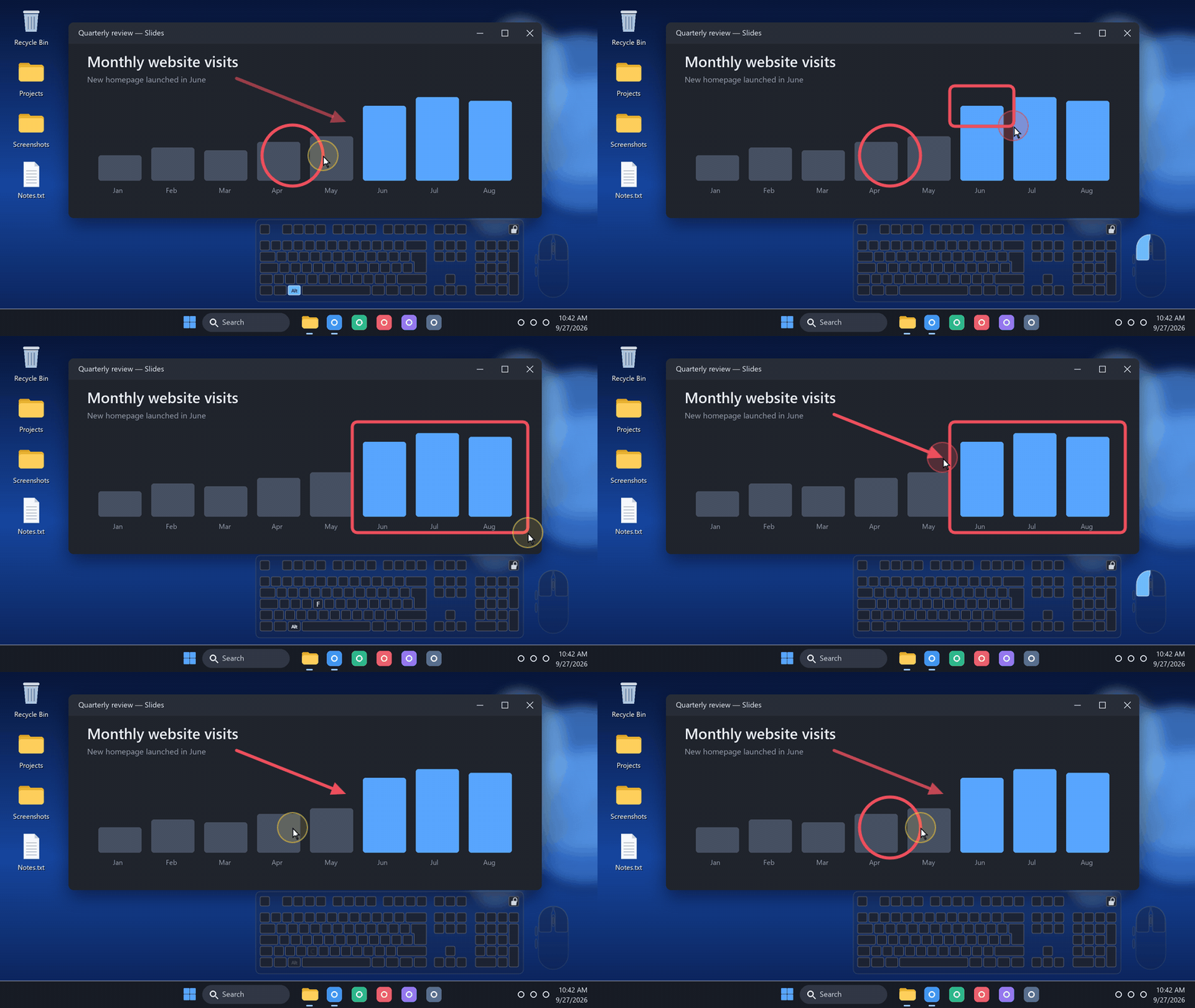
“Wait, which shortcut was that?” Shotoshot answers before anyone asks. A mini keyboard and mouse float on your screen and light up with every key and click, so viewers can follow along.
Windows 11 · No account · No admin rights needed
Your keyboard, not a generic one
The mini keyboard follows the active layout of the app you are typing in, accents and AltGr included. French AZERTY, US and UK QWERTY and German QWERTZ have been checked. Space, Shift, Enter, Tab and the arrows show as symbols, and every key fades out over 600 ms.
Clicks you can see
- A mini mouseLeft and right buttons light up when you click.
- A halo around the pointerIt flashes red while a button is down, right where you clicked.
- Where you want itDrag the keyboard away from your webcam, then lock it. Its position is remembered.
- DiscreetThe background and the mouse are more transparent than the keys.
Nothing is recorded
Shotoshot only displays your keys: nothing is written to a file and nothing leaves your PC. Your keyboard and mouse keep working normally in every app. About to type a password on stream? Press Ctrl+Alt+Esc first: every presentation aid disappears at once.
Turn it on
- Install Shotoshot and let it start. Its icon waits near the clock.
- Click the icon and choose Show keyboard and mouse. It is off by default.
- Streaming? It already shows in OBS Display Capture. For Game Capture, add the overlay window.